Images and SEO: How to Optimize Images for Rankings
Learn how images and SEO connect and follow six steps to optimize image format, compression, alt text, and sitemaps for faster pages and higher rankings.
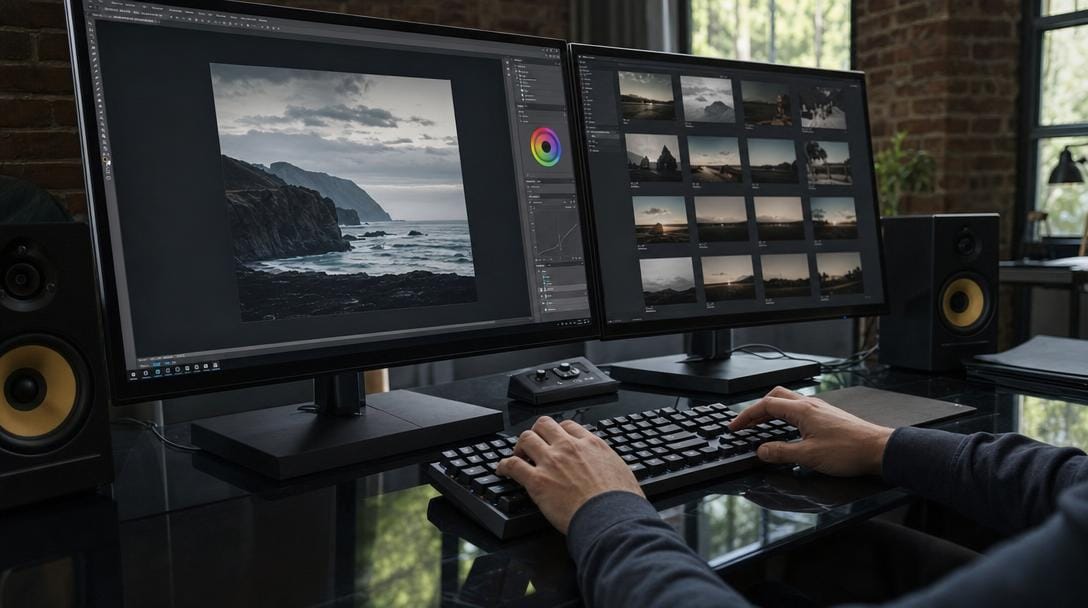
Image SEO is the practice of formatting, compressing, naming, and tagging images so search engines can crawl, index, and rank them. Done well, it improves page speed, accessibility, and visibility across Google Images and AI answer engines. This is where images and SEO meet: every photo is both a ranking asset and a potential speed liability. The six steps below turn heavy, invisible images into fast, discoverable ones — plus the mistakes that quietly sink rankings.
Key Takeaways
| Point | Details |
|---|---|
| Format is the biggest lever | WebP lossy files run 25–34% smaller than comparable JPEG, cutting page weight at equal quality. |
| Speed is a ranking input | Google recommends a Largest Contentful Paint under 2.5 seconds, and the hero image is usually the LCP element. |
| Alt text does double duty | It powers accessibility and gives crawlers the context they need to rank images in Google Images. |
| Structure earns visibility | Image schema markup and an image sitemap help search and AI engines discover and cite your images. |
| Fundamentals underpin it all | Fast, crawlable images feed organic traffic and better rankings. |
Why Images Matter for SEO and Organic Traffic

Images influence rankings through three channels: page experience, relevance signals, and direct visibility in the Images tab. Search engines cannot "see" a photo, so they rely on file names, alt text, and surrounding copy to understand it. Optimized images load faster and feed richer context to crawlers, which lifts both traditional rankings and organic traffic.
Images are also the heaviest asset on most pages. Images remain one of the largest contributors to total page weight on the median website, which makes them the first place to look when load times lag. Slow visuals drag down core web vitals images scores and push visitors away before your content even renders.
There is a discovery channel too. Google image search optimization turns product shots, diagrams, and infographics into standalone entry points. A single well-tagged image can rank in the Images tab and send qualified visitors straight to the source page.
Q: Do images really affect where a page ranks?
A: Yes — images affect Core Web Vitals, accessibility, and Google Images visibility, all of which Google uses as ranking or discovery signals.
AI answer engines add a new layer. ChatGPT, Gemini, Perplexity, and Google AI Overviews increasingly surface images alongside cited text, and they lean on the same alt text and structured data that classic crawlers read.
Choosing the Right Image Format: WebP, AVIF, and JPEG
The best image format for SEO is usually WebP for photos and interface graphics, AVIF when you need maximum compression, and JPEG only as a universal fallback. Format choice is the single biggest lever on file size, and file size drives speed.
WebP is the pragmatic default. WebP lossy images are 25–34% smaller than comparable JPEG files, and lossless WebP runs about 26% smaller than PNG, with support across every modern browser. That answers the webp vs jpeg SEO question directly: WebP wins on size at equal visual quality.
AVIF compresses even further and typically produces the smallest files of the three, though encoding is slower and older clients may need a fallback. Serve AVIF inside a <picture> element so unsupported browsers drop back to WebP or JPEG automatically.
| Format | Best use | Relative file size | Transparency | Browser support |
|---|---|---|---|---|
| WebP | Photos, UI graphics, default | Small | Yes | All modern browsers |
| AVIF | Maximum compression, hero images | Smallest | Yes | Most modern browsers |
| JPEG | Universal fallback, photos | Large | No | Universal |
| PNG | Sharp text, logos, transparency | Largest | Yes | Universal |
| SVG | Icons, logos, line art | Tiny (vector) | Yes | Universal |
For a broader workflow walkthrough, this image optimisation SEO deep dive covers batch conversion and delivery in more detail.
Q: Is WebP better than JPEG for SEO?
A: WebP is better in most cases — it delivers JPEG-quality photos at meaningfully smaller file sizes, which speeds up load times without visible quality loss.
Compressing and Resizing Images for Page Speed
Image compression SEO starts with two actions: resize the image to its real display dimensions, then compress it. A 4000px photo shown in an 800px slot wastes bandwidth on pixels no visitor will ever see.
Compression comes in two flavors. Lossy compression discards data for large savings; lossless keeps every pixel but saves less. For photographs, lossy compression at a moderately high quality setting is usually indistinguishable from the original.
Speed matters because Google treats loading performance as a ranking input. Google recommends a Largest Contentful Paint (LCP) of 2.5 seconds or less, and hero images are the most common LCP element on a page. Shrinking that one image often moves the metric more than any other fix.
Pro Tip: Export images at twice their display width for high-density (retina) screens, then compress hard. A 1600px file compressed to around 150KB looks crisp in an 800px slot and still loads quickly.
Tooling helps at scale. Build compression into your publishing pipeline, and pair it with regular automated SEO audits so oversized images get flagged before they ever ship.
Q: What image size is best for page speed?
A: Keep most content images under about 200KB and match pixel dimensions to display size; hero images should stay under roughly 250KB after WebP or AVIF compression.
Descriptive File Names and Alt Text That Rank
Image file naming SEO means naming files for what they show before upload: blue-running-shoes-side.webp, not IMG_4821.jpg. Descriptive names give crawlers a first, reliable clue about the image subject.
Image alt text SEO is the next layer. The alt attribute describes an image for screen readers and search engines, and it displays when an image fails to load. Write descriptive alt attributes that convey both content and function — not keyword lists.

Good alt text is specific and concise. "Golden retriever puppy sitting in a wicker basket" beats "puppy" or "puppy dog cute pet animal basket." Aim for accuracy in under about 125 characters.
Pro Tip: Give purely decorative images an empty alt attribute (alt="") so screen readers skip them. Forcing keywords into every decorative graphic dilutes relevance and frustrates assistive-technology users.
Metadata beyond the image matters too. A free meta tag generator keeps titles and descriptions aligned with the images and copy on the page, so the whole snippet works together.
Adding Image Structured Data and Captions
Image schema markup helps search and AI engines connect an image to its subject, creator, and license. For product, recipe, and article pages, structured data can make images eligible for rich results and badges directly in Google Images.
Add ImageObject properties — contentUrl, license, creator, and caption — inside your page's JSON-LD. Licensable image markup, in particular, can surface a "Licensable" badge that earns extra clicks.
Captions reinforce meaning. Readers scan captions more than body copy, and a clear caption gives crawlers additional on-topic text tied directly to the image it describes.
| Structured data element | What it does | Where it appears |
|---|---|---|
| ImageObject | Describes the image entity | JSON-LD |
| license / acquireLicensePage | Enables the Licensable badge | Google Images |
| creator / creditText | Attributes the photographer | Image viewer |
| caption | Adds visible on-topic text | Below the image |
Lazy Loading and Responsive Images Explained
Lazy loading images SEO defers offscreen images until a user scrolls near them, cutting initial page weight. Add loading="lazy" to below-the-fold images — but never to your LCP hero image, which should load eagerly.
The native loading="lazy" attribute is now supported across major browsers, so most sites no longer need a JavaScript library to do this.
Responsive images SEO means serving the right size to each device. Use srcset and sizes so phones receive small files and desktops receive large ones, instead of shipping one enormous image to everybody.
These techniques sit inside broader technical SEO fundamentals — the crawlability and performance work that lets strong content rank.
Q: Does lazy loading hurt SEO?
A: No — lazy loading below-the-fold images improves speed and is fully supported by Google, as long as your main hero image loads eagerly rather than lazily.
Submitting an Image Sitemap and Winning Google Images
An image sitemap lists the images on your pages so Google can discover ones it might otherwise miss — especially images loaded by JavaScript or CSS. You can add image entries to an existing XML sitemap or maintain a dedicated one.
Google image search optimization is the payoff: images that are crawled, understood, and fast are the ones that rank in the Images tab and appear in AI answers. Follow the platform's own guidance here.
Google's image best practices recommend descriptive alt text, high-quality original images, and image sitemaps for discovery. Meeting those basics is table stakes for competing in image results.
Pro Tip: If key images load via JavaScript, list them in an image sitemap. Crawlers frequently miss JS-injected images, and a sitemap entry is often the only reliable way to get them indexed.
Common Image SEO Mistakes to Avoid
Most image SEO problems trace back to a handful of repeat offenders. Fixing them usually recovers speed and lost impressions fast.
| Mistake | Impact | Fix |
|---|---|---|
| Uploading full-resolution files | Slow LCP, weak core web vitals images | Resize and compress before upload |
| Generic file names (IMG_001) | No relevance signal | Apply image file naming SEO |
| Missing or stuffed alt text | Poor accessibility, spam risk | Write descriptive alt attributes |
| Using PNG for photos | Bloated page weight | Switch to WebP or AVIF |
| Lazy-loading the hero image | Slower LCP | Eager-load the hero |
| No image sitemap | Missed indexing | Submit an image sitemap |
Monitoring closes the loop. Watch Core Web Vitals and the Images report in Search Console, then re-audit after every major redesign or template change.
Your Image SEO Checklist
Use this copy-paste checklist to keep every new page fast and discoverable:
- Convert photos to WebP or AVIF with a JPEG fallback
- Resize to display dimensions (2x for retina)
- Compress every image, targeting under ~200KB where possible
- Name files descriptively before upload
- Write descriptive alt attributes; use empty alt for decorative images
- Add ImageObject / image schema markup where relevant
- Lazy-load below-the-fold images; eager-load the hero
- Serve responsive images with
srcsetandsizes - Submit an image sitemap
- Monitor Core Web Vitals and the Images report
Image optimisation SEO compounds. Publishing daily SEO content on autopilot with these rules baked in keeps images fast and discoverable from day one, so every new page competes in both Google Images and AI answers.
Related Articles
- DIY SEO for Small Business: A Practical Starter Guide — learn how to run core SEO tasks yourself, including image and on-page basics.
- How AI Search Is Rewriting the Rules of SEO — understand how AI answer engines surface and cite images and content.
- Topic Clusters That Actually Convert Visitors — see how pillar and spoke pages, like this one, build topical authority.
- How to Read Google Search Console Like an Analyst — track the Images report and Core Web Vitals that reveal image SEO wins.
Хочете, щоб це робилось за вас — щодня?
Підключіть сайт — і SERP Agent веде аудит, контент і публікацію на автопілоті.