Local SEO for Business: How to Win More Nearby Customers From Google
A plain-language guide to local SEO for business owners: how Google picks local results, what to fix first, how much time each task takes, and how to track calls and booked jobs.

Local SEO for business is the work of making your company show up when people nearby search for what you sell. That includes Google's map results, the regular results below them, and, more and more, the answers AI assistants give. Three things drive most of it: a complete Google Business Profile, consistent business details backed by useful pages on your own site, and a steady flow of genuine reviews.
Most local SEO guides are written for SEO specialists. This one is written for the owner who has to decide what to do this month. It covers how Google chooses local businesses, what to fix first, roughly how much time each task takes, and how to tell whether the work is producing calls and booked jobs.

Key Takeaways
- Three factors decide local rankings. Google's Business Profile help documentation names relevance, distance and prominence as the factors behind local results; owners control relevance most directly.
- The Business Profile comes first. A verified, complete Google Business Profile with accurate categories, hours and real photos is the foundation for appearing in the map pack and Google Maps.
- Consistency and useful pages support the profile. Identical name, address and phone details across listings, plus one clear page per main service, help both search engines and customers trust the business.
- Reviews are a routine, not a campaign. Ask every customer, reply to every review, and never buy or filter reviews; the FTC's 2024 rule bans fake reviews.
- Track calls and booked jobs, not just rankings. Combine Business Profile performance data, Search Console and a simple how-did-you-hear log to connect visibility to revenue.
What Local SEO Means for Your Business (and Where Nearby Customers Actually Find You)
Local SEO means improving your visibility for searches with local intent, such as plumber near me, dentist in Cambridge or same-day locksmith. These searches come from people who usually want to call, visit or book soon, which makes them some of the most valuable traffic a local business can get.
Nearby customers find you in four main places:
- The map pack. The Google map pack is the block of three business listings with a map that appears near the top of many local searches.
- Local organic results. These are the standard blue links on the search results page, where your service and location pages compete.
- Google Maps itself. Many customers skip Search entirely and type straight into the Maps app.
- AI answers. Assistants such as ChatGPT and Google's AI features now recommend local businesses directly in their responses.
Near me searches matter, but customers do not have to type those words. Google already knows roughly where a searcher is, so a search for emergency electrician returns local results anyway. That is why the basics below apply to almost every business that serves customers in a specific area.
How Google Decides Which Local Businesses to Show
Google ranks local results on three factors: relevance, distance and prominence. Google states this directly in its Business Profile help page on how local results are ranked, so there is no need to rely on third-party guesses about ranking weights.
Here is what each one means in practice:
- Relevance is how well your listing matches what someone searched. Accurate categories, a clear list of services and a detailed description all help Google match you to the right searches.
- Distance is how far you are from the searcher, or from the location named in the search. You cannot change this, which is why rankings look different from one side of town to the other.
- Prominence is how well known your business is. Google points to reviews, links, articles and your general presence across the web as inputs.
The practical takeaway: you control relevance almost completely, you influence prominence over time, and you accept distance as a fact of geography.
Q: Can you pay Google to rank higher in Google Maps?
A: No. Google's own Business Profile help documentation states that there is no way to request or pay for a better local ranking; paid placements appear as clearly labelled ads instead.
Set Up and Maintain Your Google Business Profile
A Google Business Profile is the free listing that controls how your business appears in Google Search and Google Maps. If you do only one thing from this guide, claim, verify and complete it.
Work through these steps in order:
- Claim and verify the profile. Google will not show an unverified listing reliably, and anyone else could otherwise suggest edits to it.
- Choose the most specific primary category. Water damage restoration service beats contractor if that is what most of your revenue comes from. Add secondary categories only for services you actually provide.
- List your services and write a factual description. Explain what you do, who you serve and where, in the words your customers use.
- Keep hours accurate, including holiday hours. A customer who drives over to find a locked door rarely gives you a second chance.
- Add real photos regularly. Show your storefront, team, vehicles and finished work. Fresh, genuine photos help customers choose you over a listing with stock images.
- Publish short updates. A weekly post about an offer, a completed project or seasonal advice signals that the business is active.
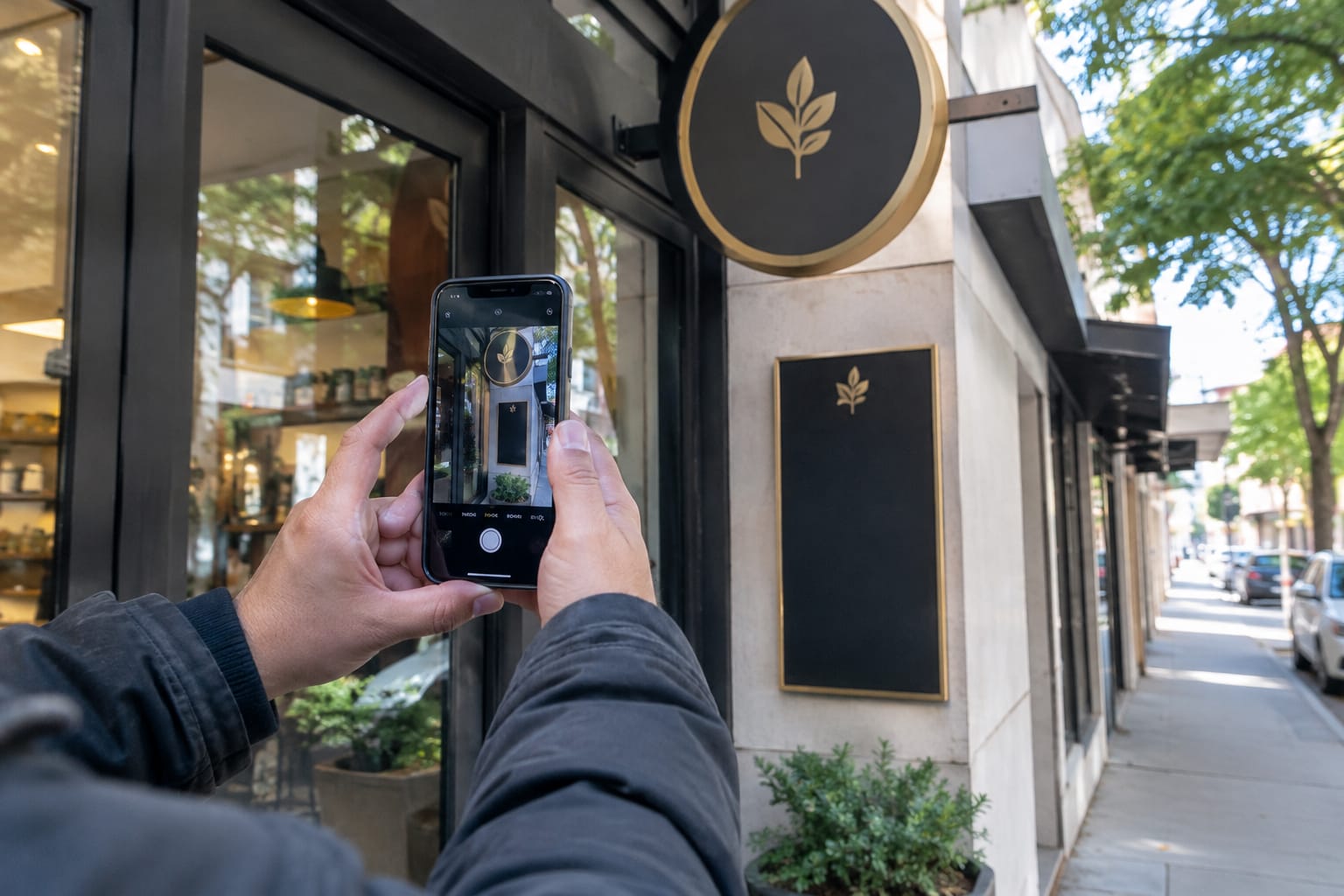
Follow Google's guidelines for representing your business. The most common mistake is adding keywords to the business name, such as Smith Plumbing Best Emergency Plumber Boston. The guidelines require your real-world name, and stuffed names risk suspension.
Service area business SEO works slightly differently. If you visit customers rather than receive them, such as cleaners, movers or roofers, you can hide your address and set service areas instead. You still rank, but your distance is measured against your verified location, so your website pages carry more weight for the wider areas you cover.
Pro Tip: Use the review link from your Business Profile dashboard everywhere you ask for feedback. It sends customers straight to the review form instead of making them search for you.
Keep Your Name, Address and Phone Number Consistent Everywhere
NAP consistency means your business name, address and phone number appear identically everywhere they are listed online. When those details conflict, customers call dead numbers, and search engines become less confident about which information is correct.
Local citations are the mentions of your business details on other websites, such as directories, review sites and industry associations. The important ones for most businesses are:
- Your own website, usually in the footer and on the contact page
- Google Business Profile, Apple Business Connect and Bing Places
- Yelp, Facebook and any directory specific to your trade
- Local chambers of commerce, trade bodies and supplier dealer lists

The process is simple. Do one thorough audit, correct every listing you find, and then spot-check the main ones each quarter. Repeat the full audit whenever you move, change your phone number or rebrand, because old details spread across directories and linger for years.
Use a single format and stick to it. If your sign says Suite 4, do not write Unit 4 on one site and #4 on another. Small inconsistencies add up across dozens of listings.
Build Service and Location Pages Customers Can Act On
Your Business Profile wins the map pack; your website wins the organic results below it and gives customers the detail they need to choose you. Every main service deserves its own page, and every page should make the next step obvious.
A strong service page answers what a customer is actually wondering:
- What the service includes and what it does not
- Which areas you cover and how quickly you can arrive or book
- How pricing works, even if you only explain the factors that affect a quote
- Proof: photos of real jobs, reviews, licences or certifications
- A tap-to-call phone number and a short booking or quote form
Location pages help when you genuinely serve several towns and have something specific to say about each one, such as local projects, travel times or area-specific regulations. Copying one page and swapping the town name creates what Google calls doorway pages, which its spam policies prohibit.
Structured data helps search engines read your details correctly. Google documents LocalBusiness structured data for hours, address and contact details, and a free FAQ schema generator can mark up a questions section on a service page. Markup makes your information easier for machines to read; it does not guarantee any special display in results.
Earn Reviews and Respond to Them
Reviews influence both rankings and customer decisions. Google's local ranking documentation notes that high-quality, positive reviews can improve your business's visibility, and every customer reads them before calling.
The businesses with the strongest review profiles treat asking as a routine step, not an occasional campaign:
- Ask every customer, right after the job. Satisfaction peaks at completion, not two weeks later.
- Make it one tap. Send the direct review link by text or email, and print it as a QR code on invoices.
- Reply to every review. Google encourages owners to read and reply to reviews from the Business Profile. Thank happy customers by name and service, and answer complaints calmly with a way to resolve them offline.
- Never filter who you ask. Google's policy on prohibited content bans fake engagement, including selectively asking only happy customers for reviews.

Q: Is it legal to buy Google reviews for a business?
A: No. The FTC's final rule banning fake reviews and testimonials, announced in August 2024, prohibits buying or selling fake reviews and allows the FTC to seek civil penalties against violators.
A thoughtful reply to a negative review often does more for your reputation than the review does damage. Future customers judge how you handle problems, not just whether problems ever happen.
Get Recommended in AI Answers for Local Searches
Local SEO in AI search builds on the same foundations as Google Maps: accurate listings, consistent details, strong reviews and clear website content. AI assistants assemble answers from sources across the web, so a business that is well documented in many places is easier to recommend.
Google AI Overviews draw on Google's regular search systems. Google's guidance on AI features and your website says there are no extra requirements to appear in them beyond the usual Search fundamentals. Assistants such as ChatGPT, Gemini and Perplexity also lean on directories, review platforms, maps data and the businesses' own websites.
A few habits make your business easier for these systems to understand and cite:
- Write answer-style content. Pages that directly answer questions like how much does a boiler service cost in your area or how long does a house move take are easy to quote.
- Be consistent everywhere. The same name, services and areas across every listing reduce confusion about who you are.
- Earn mentions beyond your site. Local news coverage, trade association listings and supplier pages all add independent confirmation.
- Make your site readable for AI crawlers. Some businesses add an llms.txt file to point AI tools toward their most important pages; it is an emerging convention rather than a requirement.
No one can guarantee a citation in an AI answer. The broader practice is often called generative engine optimization, and the overview of AI SEO explains how it relates to traditional search work.
How to Track Local SEO Results: Map Pack Positions, Calls and Leads
Track local SEO by business outcomes first and rankings second. A higher map position only matters if it produces more calls, direction requests, bookings and revenue.
Local rank tracking has a twist: map pack positions change depending on where the searcher stands. A business can rank first two streets away and fifth across town. Good tracking checks your position from a grid of points across your service area rather than from one spot, which gives a realistic picture of where you win and where you do not.
Tie the numbers together with these sources:
| What to measure | Where to find it | What it tells you |
|---|---|---|
| Calls, website clicks, direction requests | Google Business Profile performance view | Whether your listing turns searches into actions |
| Clicks and average position for local queries | Google Search Console | Whether your website pages are gaining ground |
| Visits from your Business Profile | Analytics, with a tagged link on your profile website button | How much site traffic comes from Maps and the map pack |
| Map pack position across your area | A grid-based local rank tracker | Where geographically you are visible |
| How the customer found you | A question at booking or a call log | Which channel actually produced paying work |

The last row matters most. A simple habit of asking how did you hear about us, and writing down the answer, connects all the other data to real revenue.
Trends need months, not days. As one documented example, here is how a Boston moving company grew its search traffic: according to Google Search Console snapshots, its organic clicks rose from 770 per month in February 2026 to 1,925 per month in July 2026, while its average position improved from 28.7 to 16.4. That is one business's result over five months, not a typical or guaranteed outcome, but it shows the value of comparing the same metrics on a consistent schedule. For reading those reports properly, see the guide on how to read Google Search Console like an analyst.
Doing It Yourself vs Handing It Off: Time and Cost Trade-Offs
Local SEO is mostly steady, repeatable work rather than one big project. The real question is whether you have the hours each week to keep it going, or whether someone or something else should run it.
This local SEO checklist shows the recurring tasks. The time figures are rough planning estimates for a single-location business, not measured averages.
| Task | Why it matters | How often | Approx. time (estimate) |
|---|---|---|---|
| Verify and complete Google Business Profile | Foundation of map pack visibility | Once, then review quarterly | 1-2 hours to set up |
| Update hours and holiday hours | Wrong hours lose visits and trust | Whenever they change | A few minutes |
| Add photos and a profile update | Shows an active, real business | Weekly | 15-20 minutes |
| Request reviews | Builds prominence and trust | After every job | 1-2 minutes per customer |
| Reply to reviews | Signals care to future customers | Weekly | 15-30 minutes |
| Audit NAP on main listings | Keeps details consistent | Quarterly | 1-2 hours |
| Create or improve a service or location page | Wins organic results and converts visitors | Monthly | 2-4 hours per page |
| Review calls, leads and map positions | Shows what is working | Monthly | 30-60 minutes |
In practice, that adds up to an hour or two per week plus a longer monthly block. The three common ways to cover it each suit a different owner:
- Do it yourself. Lowest cash cost and full control. It fits a single-location business with an owner who enjoys the work and protects the time. The risk is consistency: weekly tasks slip during busy seasons, exactly when visibility matters most.
- Hire an agency or freelancer. Brings experience and handles complex situations such as multi-location chains, rebrands or suspended profiles. It typically costs the most per month, and quality varies widely, so ask for reporting tied to calls and leads, not just rankings.
- Use automation software. Handles the repeatable parts, such as profile posts, citation consistency checks and rank tracking, at a predictable monthly cost. Check exactly which tasks a tool covers; an example of automated local SEO and map pack tracking shows the kind of scope to compare against.
Whichever route you choose, some work stays with you. Only the owner and staff can take real photos, ask customers for reviews in person and answer the phone well. Handing off the rest frees time for exactly those tasks.
Related Articles
- What Is AI SEO? — How AI is changing the way websites are optimized and found in search.
- How AI Search Is Rewriting the Rules of SEO in 2026 — What AI Overviews and assistants mean for businesses that rely on search traffic.
- How to Read Google Search Console Like an Analyst — How to turn clicks, impressions and positions into decisions.
Useful Links
- Local SEO Automation: Win the Google Map Pack
- GoBorn: Booked Out by Search and Cited by AI
- What Is SEO?
- What Is AEO (Answer Engine Optimization)?
- Google SERP Snippet Preview Tool
Need help with this? Local SEO Automation · Get started
Хочете, щоб це робилось за вас — щодня?
Підключіть сайт — і SERP Agent веде аудит, контент і публікацію на автопілоті.