Website and SEO: How Your Site Build Shapes Your Rankings
How platform choice, site structure, speed, redesigns and AI-readiness decide whether your website gets customers from Google and AI search, plus who should own SEO after launch.

Your website and SEO are one project, not two. The platform you choose, how you organize pages, how fast they load and what happens to old URLs during a redesign all decide whether Google and AI assistants like ChatGPT can find, understand and recommend your business.
The problem is timing. Most of these decisions get made during the build, often by a designer whose job ends at launch. Then the site goes live and nobody owns SEO. This guide covers the decisions you control as an owner, an 8-step checklist that protects rankings during a redesign, and how to make your site readable for AI search.
This article is published by SERP Agent, which makes an AI system that runs SEO on autopilot.

Key Takeaways
- Build decisions are SEO decisions. Platform, page structure, speed and URL handling determine whether Google can crawl, index and rank your pages at all.
- Give every service its own page. A shallow hierarchy with descriptive URLs and internal links lets each service rank for the searches customers actually make.
- Core Web Vitals have published targets. Google's 'good' thresholds are LCP of 2.5 seconds or less, INP of 200 milliseconds or less and CLS of 0.1 or less, per web.dev.
- Redirects protect redesigns. Map every changed URL to its new equivalent with a 301; Google's site move guidance recommends keeping redirects for at least one year.
- AI readiness starts with access and HTML. Allow AI crawlers in robots.txt, keep key text in the HTML, write answer-first content, and add llms.txt as a low-cost extra.
- Someone must own SEO after launch. Design contracts typically end at launch; choose a retainer, agency, hire or automation to handle monitoring, fixes and content.
Why Your Website and SEO Can't Be Planned Separately
Your website shapes SEO through every build decision: which pages exist, what each URL looks like, how fast pages load and whether search engines can read the content at all. Treat SEO as something to add after launch and you usually pay twice, once to build the site and again to fix it.
Here's the thing: Google has to crawl, index and then rank a page before it can send you a single customer. A website design and SEO decision that blocks any of those steps caps your results, no matter how good your content is.
The build-level work that keeps those steps open is called technical SEO. The most common ways a new site breaks it are surprisingly ordinary:
- All services crammed onto one page, so none of them can rank on its own.
- Key text placed inside images, sliders or scripts that search engines struggle to read.
- A 'do not index' setting from the staging site left switched on after launch.
- Old page addresses deleted without redirects, wiping out years of accumulated rankings.
None of these are flaws a visitor would notice. That is exactly why they survive until traffic drops.
Choosing a Platform: What Matters for SEO (WordPress and Custom Sites)
No platform ranks better by default. An SEO friendly website is one whose platform lets you control what search engines read: page titles, descriptions, URLs, redirects, structured data and fast-loading HTML.
WordPress is a common choice for small businesses for a practical reason: owners can edit content themselves, and core SEO basics are built in or a plugin away. WordPress has generated XML sitemaps in core since version 5.5. A sitemap is a file that lists your pages for search engines. A custom build can be just as strong, but only if SEO requirements are written into the specification.
| What you need to control | WordPress | Custom-built site |
|---|---|---|
| Page titles and meta descriptions | Built-in fields or an SEO plugin | Must be built into the admin panel |
| Clean, editable URLs | Configurable permalinks | Depends on the developer |
| 301 redirects | Plugin or server rules | Developer builds or configures them |
| Schema markup (structured data) | Plugins or theme support | Coded per page type |
| Main speed risk | Too many plugins, heavy themes | Heavy JavaScript frameworks |
| Who can update content | Owner or staff | Often requires the developer |
What does this mean for your decision? For most service businesses, WordPress SEO is easier to run without a developer on call. A custom site makes sense when you need functionality WordPress can't deliver, and then you need a written SEO spec.
Pro Tip: Put SEO requirements into the design contract: editable titles and descriptions on every page, redirect capability, text rendered in the HTML, and handover of all admin access. Specifying these up front costs far less than fixing them after launch.
Site Structure That Helps Customers and Search Engines Find Your Services
Site structure is how your pages are organized and linked together. A strong website structure for SEO gives every service, product or location its own page, linked logically from the homepage, because a page that doesn't exist can't rank for anything.

Plan the structure before the design. Let's break this down into decisions you can make on one sheet of paper:
- One page per service. A single 'Plumbing services' page competes poorly against sites with separate pages for drain cleaning, water heaters and emergency repairs.
- Shallow hierarchy. Keep important pages a few clicks from the homepage: Home → Services → Specific service.
- Descriptive URLs. /services/water-heater-repair tells customers and Google what the page covers.
- Internal links between related pages. Link each service page to related services, relevant articles and your contact page.
- Plain-text navigation. Menus and footer links should be real text links that crawlers can follow.
For background on why crawlability decides so much, see technical SEO explained in plain terms.
Q: What is the best website structure for SEO?
A: A simple hierarchy of homepage, category pages, then one page per service or product, with descriptive URLs. Google's URL structure guidelines recommend readable words in URLs rather than long ID numbers.
Speed, Mobile and Core Web Vitals: The Business Case in Plain English
Core Web Vitals are Google's three measurements of how real visitors experience your pages: loading speed, responsiveness and visual stability. They count toward rankings, but Google's page experience documentation is clear that relevance comes first. A fast page with weak content won't beat a strong page that is slightly slower.

The bigger cost of a slow site is lost customers, not lost rankings. A visitor checking your hours from a parking lot won't wait for a heavy homepage to load. They tap the next result.
Google's published thresholds for a 'good' experience are:
| Metric | What it measures in plain English | 'Good' threshold |
|---|---|---|
| Largest Contentful Paint (LCP) | How fast the main content appears | 2.5 seconds or less |
| Interaction to Next Paint (INP) | How fast the page reacts to a tap or click | 200 milliseconds or less |
| Cumulative Layout Shift (CLS) | Whether content jumps around while loading | 0.1 or less |
Mobile matters even more. Google uses mobile-first indexing, which means it primarily evaluates the mobile version of your site. If text, links or service details are hidden on mobile, Google may never weigh them.
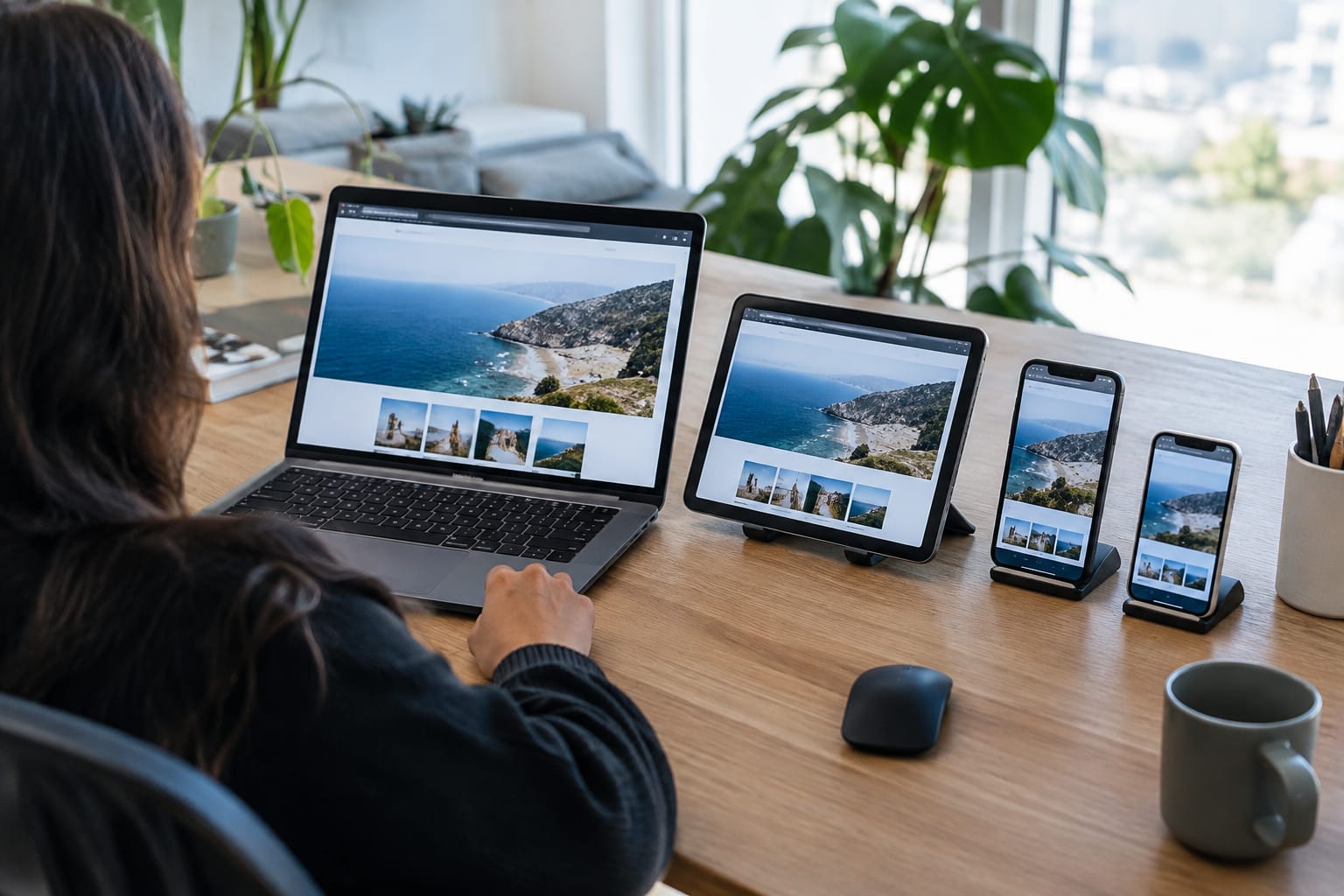
The usual causes of poor website speed SEO results are oversized images, stacked plugins and tracking scripts, autoplay video headers and budget hosting. You can check your own scores free in PageSpeed Insights or in the Core Web Vitals report inside Google Search Console.
Q: Does website speed affect Google rankings?
A: Yes, through Core Web Vitals, which Google uses as part of its page experience signals. Speed alone won't lift thin content, but it can decide close contests and directly affects whether visitors stay.
Redesigning Your Website Without Losing Your Rankings
A website redesign affects SEO when URLs, content or internal links change. Keep those three stable, or point every changed URL to its new address with a 301 redirect, and you protect the rankings your old site earned.
A 301 redirect is a permanent forwarding instruction. Google treats a permanent redirect as a strong signal that the new page should replace the old one in search results. Without it, Google finds a dead page and the rankings tied to that address fade away.
Website migration SEO, meaning a move to a new domain, platform or URL structure, carries the most risk. Google's site move guidance warns that rankings can fluctuate temporarily during a move and recommends keeping redirects in place for at least one year.
Q: Will a website redesign hurt my Google rankings?
A: Not if your URLs, ranking content and internal links survive or are covered by 301 redirects. Common causes of website redesign SEO losses are deleted pages, missing redirects and stripped-out content, all of which the checklist below prevents.
Pre-Redesign Checklist: 8 Things to Do Before Launch Day

Run through this list with your designer before the new site goes live:
- Export every current URL. Use a site crawler or the Pages report in Google Search Console. This list is your redirect source.
- Save a dated baseline. Record top pages, queries, clicks and average positions from Search Console so you can compare after launch.
- Build a redirect map. Match every old URL to its closest new equivalent with a 301. Avoid sending everything to the homepage; Google's site move guidance advises against redirecting many old URLs to one irrelevant destination.
- Keep the content that ranks. Don't cut text from your best-performing pages to fit a new layout.
- Carry over titles, descriptions and schema markup. These often get lost when pages are rebuilt from a template.
- Lock the staging site, then unlock it at launch. Password-protect or noindex the test site, and confirm the block is gone on launch day.
- Check crawl rules and the sitemap. Check your robots.txt crawl rules so the live site isn't blocked, then submit the new XML sitemap in Search Console.
- Monitor after launch. Watch for 404 errors, crawl issues and ranking changes against your baseline in the weeks that follow.
Need help with this? Get started
Making Your Website Readable for AI Assistants
An AI search ready website is one that assistants like ChatGPT and Google AI Overviews can fetch, read and quote accurately. The foundations match good SEO: crawlable pages, text present in the HTML, and clear answers to the questions customers actually ask.
Four practical checks cover most of it:
- Bot access. Your robots.txt file must not block the crawlers AI assistants use. OpenAI, for example, documents separate crawlers for search (OAI-SearchBot) and model training (GPTBot), so you can allow one without the other.
- Render-readiness. Important text should appear in the page's HTML, not only after JavaScript runs. Vercel's analysis of AI crawler traffic found that major AI crawlers did not execute JavaScript, so script-loaded content can be invisible to them.
- Answer-first content. Open each section with a direct answer, then expand. Assistants extract clear statements more easily than buried ones.
- Consistent business facts. Keep services, service areas and contact details identical across every page.
For Google, how Google AI Overviews choose sources follows the same signals as regular search. Google's guidance on AI features says no special files or markup are required to appear there.
Then there is llms.txt. If you're unsure what llms.txt is: it's a proposed standard for a plain-text file at yoursite.com/llms.txt that summarizes your business and points AI tools to your most important pages. Google doesn't require it and no assistant guarantees it will be read, but it takes minutes to create with a free llms.txt generator.
Who Should Own SEO After the Website Goes Live
Your web designer owns the build; someone must own SEO once the site is live. A design project typically ends at launch, while SEO is ongoing work: publishing content, catching technical problems and tracking rankings.
Whether your web designer does SEO depends on the contract. Most handle on-page setup such as titles, headings and basic speed. Ask directly whether they also cover keyword strategy, new content, monitoring and redirects after launch, and get the answer in writing.
This gap is where many sites quietly decay. A plugin update breaks schema markup, a new page goes live without a title, a staff member deletes an old URL. Nothing looks wrong until leads slow down.
Owners usually choose between four options:
- Designer on retainer: works only if the retainer explicitly covers SEO, not just maintenance.
- SEO agency: hands-off for you, at agency rates.
- In-house hire: full control, at the cost of a specialist's salary.
- Automation: software that runs audits, fixes and content continuously.
SERP Agent is built for the last option: SEO that runs after launch, with no briefs to write and no SEO skills required. You connect your domain and Google Search Console in about two minutes and get the first audit the same day. Unlike tools that start publishing immediately, it first audits and repairs the foundation, analyzes competitors and the live search results, builds a strategy, and only then writes.
After that, continuous technical monitoring and auto-fixes address post-launch neglect. A continuous tech-diff catches new breakages, and the system auto-fixes titles, meta descriptions, schema, internal links and alt text. New pages are submitted for fast indexing through IndexNow, publishing runs through an official WordPress plugin or a custom API, and AI-readiness features cover answer-first content, AI-bot readiness, render-readiness and llms.txt. Plugin access is limited, every action is visible, and automatic changes can be rolled back.
On results: GoBorn grew to DR 94 (Ahrefs Domain Rating, a 0-100 authority score) with 634 referring domains and earned 500+ AI-answer citations, as documented in the GoBorn case study. A brand-new SaaS with almost no search footprint reached 232 top-10 keywords without its founders writing content.
Pricing is per website, billed monthly, cancel anytime. According to the SERP Agent pricing page, the $199/month plan includes a weekly audit, up to 500 keywords and rank tracking for 50. The $299/month plan adds a daily audit, up to 2,000 keywords, rank tracking for 300, content in up to 5 languages and AI mention monitoring.
Written by Serp Agent Team
Related Articles
- What Is AI SEO — how AI changes the way SEO work gets planned and done for a business.
- How AI Search Is Rewriting the Rules of SEO in 2026 — what ChatGPT and AI Overviews mean for getting customers from search.
- How to Read Google Search Console Like an Analyst — how to build and read the baseline you need before and after a redesign.
Useful Links
- SEO on Autopilot: Audit, Strategy & Daily Content
- Free SEO Tools — SERP Snippet, Meta, FAQ Schema & llms.txt
- Technical SEO — Definition & How It Works
- SERP Agent Pricing — Plans and Features
Need help with this? Free llms.txt Generator · Get started
Want this done for you — every day?
Connect your site and SERP Agent runs the audit, the content and the publishing on autopilot.